


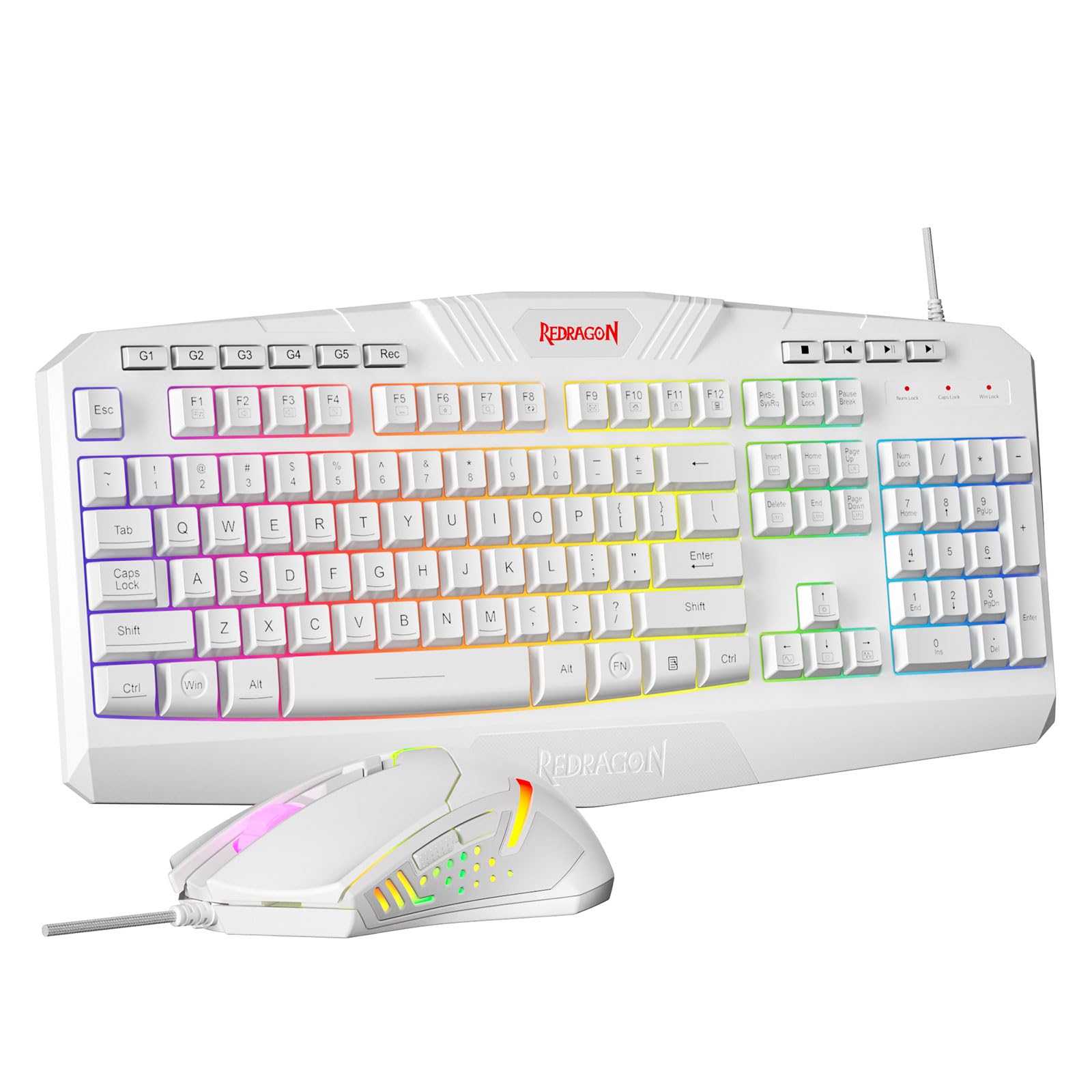

Redragon S101M-KS Gaming Keyboard and Mouse Wireless with Tri-Mode, RGB Keyboard and 4800 DPI Gaming Mouse, 10 Independent Multimedia Keys for Wins, PC, Computer, Wireless S101 Ideal for Gamer
12 sold in last 24 hours
- 【Wireless Gaming Keyboard and Mouse Combo】Get rid of the messy cables, Redragon Tri-mode Wireless Gaming Keyboard and Mouse will provide more freedom of choice for your gaming operations (wired/Bluetooth/2.4G receiver) and provide long-lasting and stable connection, which is ideal for gamers (Note: The 2.4G receiver is a 2-in-1 version, you can use one 2.4G receiver to control the keyboard and mouse at the same time)
- 【RGB Gaming Keyboard and Mouse】Turely RGB Backlight with 8 backlight patterns, you also can adjust the lighting speed and lightness of your keyboard and mouse to fit your gaming scene and enhance the gaming atmosphere. The rechargeable keyboard stands up to 300 Hrs (RGB OFF), and you can get the keyboard status by the battery indicator
- 【4800 DPI Adjustable Gaming Mouse】There are 5 DPI Levels(800/1200/1600/3200/4800) that can be chosen by clicking the dip button to fit your different needs(or adjust the DPI freely through the software) You can judge the DPI level by the number of flashes of the indicator light
- 【Fully Function Keyboard】Redragon S101M-KS Wireless Keyboard is equipped with 10 independent multimedia keys and 12 Combination multimedia keys to ensure quick management during gaming. It also has splash resistance, WIN lock function, and comes with a 6-foot detachable USB-C cable
- 【Programmable Keyboard and Mouse Gaming】You can customize the keyboard keys and backlighting as well as the DPI value and polling rate of the mouse (125-1000Hz) and remap the 7 mouse buttons through the software (download the software on Redragon.com). The ergonomic design of this gaming keyboard makes you feel comfortable while typing and gaming!
- 【Amazing Gaming Keyboard and Mouse】Plug and Play, Tri-modes Gaming Keyboard and Mouse is widely compatible with Windows, PC, laptop, computer, etc. Redragon provides every customer a 36-month warranty, 7*24Hrs Technology Support Team (Software download address: redragon.com)
Tags |
Estimated shipping
Select a product to estimate shipping.How do I download the S101M-KS driver software?
Step 1: Visit the official Redragon website: Redragon.com
Step 2: Click the “Downloads” section, search for the model “S101M-KS” to download the software driver
Note: Software drivers for keyboards and mice must be downloaded separately
How do I connect a wireless keyboard?
Slide the power switch on the back of the keyboard to the 2.4G/BT position(For older versions, move the switch to “ON”)
2.4G - Insert the receiver and press and hold FN+4 (if automatic pairing does not occur)
BT - Press and hold FN+1/2/3 to connect
How do I connect a wireless mouse?
Switch the mode selector on the mouse's underside to the corresponding position
2.4G - Mouse will automatically connect after inserting the receiver
BT - Set the switch to BT mode, press and hold the “Pair BT” button for three seconds, then connect
Where can I find a 2.4 GHz receiver?
The S101M-KS's 2.4 GHz receiver is located in a slot on the back of the keyboard. This is a two-in-one receiver, allowing you to control both the mouse and keyboard with a single receiver.
Product details


| Main Specification | |
|---|---|
| Connectivity Technology | Bluetooth or Wired or 2.4G |
| Compatible Devices | Laptop or Personal Computer |
| Special Feature | Ergonomic or Backlit |
| Manufacturer | Redragon |
| Unit Count | 1 Count |
| Number of Batteries | 1 Nonstandard Battery Batteries Required. (Included) |
| Hand Orientation | Ambidextrous |
| Keyboard Description | Gaming |
| Brand | Redragon |
| Colour | Black-New |
| Item Weight | 1.06 kg |
| Product information | |
| Number of Packs | 1 |
| Operating System | Windows |
| Item details | |
| Model Number | S101MKS |
| Others | |
| Other Special Features of the Product | Ergonomic or Backlit |
| Product Type | Gaming Keyboards |
| Mfr Part Number | 725876731 |
| Antenna Location | Gaming |
| Minimum Required Operating System Version | Windows 7 |
| Compatible Operating System Family | Windows |
| Keyboard Layout | QWERTY |
| Keyboard Backlighting Color Support | RGB |
| Number of Keys | 104 |